Intelligent legal documentation drafting
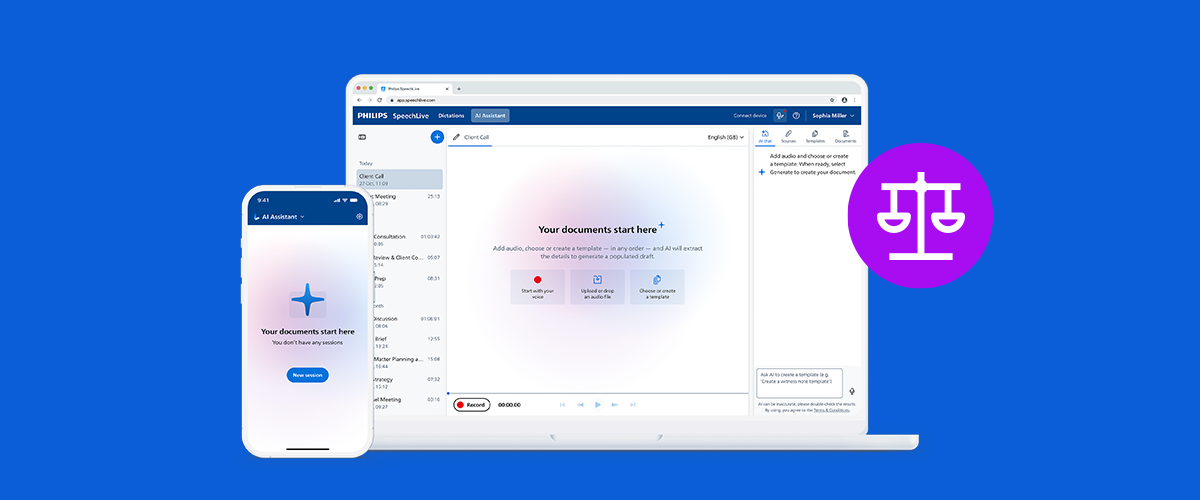
You became a lawyer to advise clients, win cases, and do meaningful legal work — not to spend hours turning consultations into documents. SpeechLive Legal AI Assistant can help you free up more time for billable hours.
Free 14-day trial available. No long-term commitment required.
Ideal for attorneys, paralegals, and law firms looking to reduce drafting time and stay focused on clients and cases.
Who is this for?
SpeechLive Legal AI Assistant is designed for legal professionals who need faster, cleaner, and more consistent document drafting.
Attorneys
Draft briefs, memos, letters, and pleadings by voice — without interrupting client focus.
Paralegals
Receive AI drafts, review, refine, and route finished documents back to the attorney.
Law Firms
Standardize document creation across practice groups with reusable templates.
Attorneys need more time with clients — not more screen time.
Yet documentation remains one of the biggest time drains in legal practice. Between dictating, waiting for transcription, reviewing drafts, and formatting, the path from conversation to final documentation is often long.
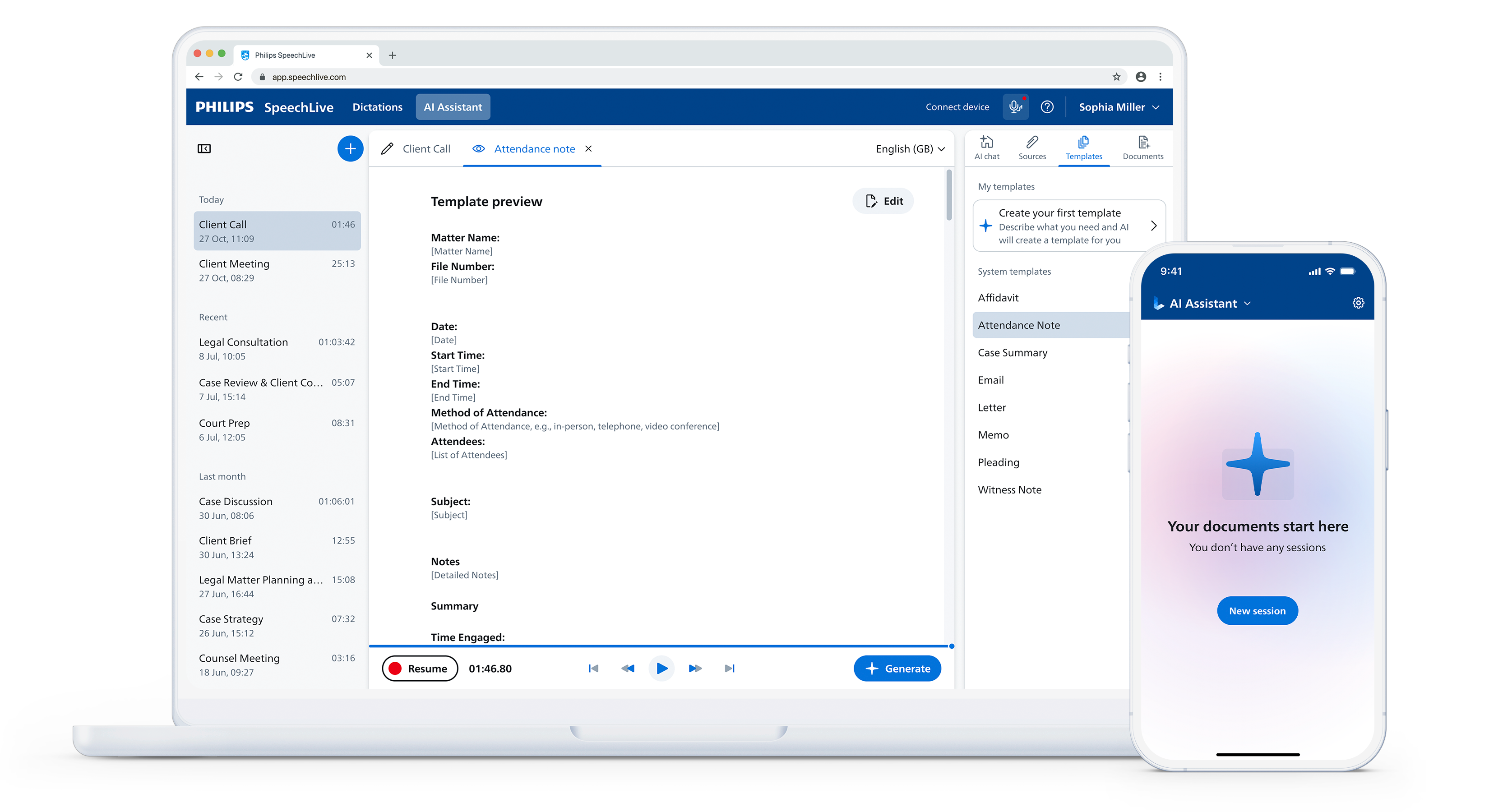
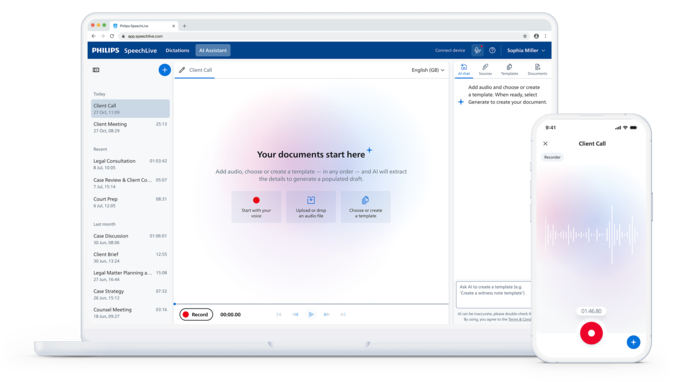
SpeechLive Legal doesn't just transcribe — it understands. It takes your dictation, identifies the context and key facts, and maps them into structured legal document templates. The result is a formatted first draft in a fraction of the time, ready for your final review.
- Dictate naturally and speak the way you always have. The AI handles structure, formatting, and placement.
- Add up to 5 files to your dictation including documents, PDFs, and images for more complete drafts.
- Generate outputs that match the way your firm works — your templates, your structure.
- Stay in control, with every document drafted for your review. Nothing goes out without your approval.
Key advantages of Philips SpeechLive Legal
Five capabilities that make SpeechLive Legal AI Assistant different from traditional transcription and dictation tools.
⚡ AI-powered document generation
Speak once, get a structured legal document mapped to your template.
🗂️ Custom template builder
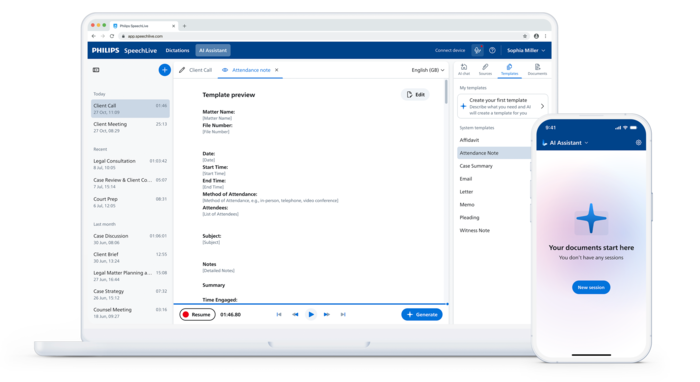
Create bespoke templates on demand using natural language. Save them for repeated use.
✏️ Natural language editing
Simply tell the AI to "shorten section" or "add clause" and avoid any manual formatting.
📎 Multimodal input
Combine dictation with PDFs, images, and documents for richer, more complete drafts.
🔗 Connected to SpeechLive
Everything syncs with SpeechLive and your existing workflow stays intact.
👤 Human oversight
Route completed drafts through SpeechLive Classic workflows — maintaining your review and approval process.
Built for legal practice — templates that know the law
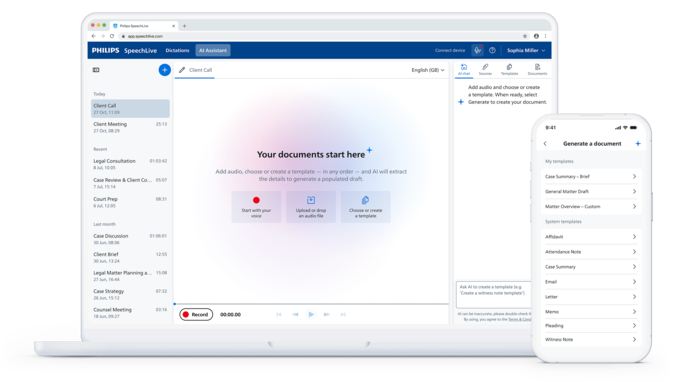
Pre-loaded with legal document templates: Affidavit, Attendance Note, Case Summary, Letter, Memo, Pleading, Witness Note — and the ability to create your own.
See SpeechLive Legal AI Assistant in action
Watch the on-demand webinar to see how SpeechLive Legal AI Assistant creates fully populated legal document drafts from voice and case materials — plus an introduction to the SpeechLive Professional AI Assistant.
SpeechLive Legal AI Assistant webinar
Discover how to create legal document drafts with your voice, add supporting case materials, reuse templates, and send drafts to an assistant for review.
Streamlining your SpeechLive workflow
See the familiar SpeechLive dictation and transcription workflow that powers the Legal AI Assistant review and routing.
How SpeechLive Legal works
A streamlined, end-to-end legal documentation workflow that dramatically reduces time-to-draft while maintaining human oversight and review.
Dictate or upload
Record your consultation, client meeting or case notes, or combine dictation with files such as documents, PDFs, and images.
AI generates draft
The SpeechLive Legal AI Assistant maps your dictation and any additional sources you upload to populate your chosen template, extracting key facts and structuring them into the correct sections.
Review, refine, approve
Edit manually or use natural language commands to amend to your preferred output. Then review, and export or send directly to your typist within the SpeechLive workflow.

Why SpeechLive Legal AI is different
SpeechLive Legal AI Assistant goes beyond simple speech-to-text by intelligently extracting key facts from input options including dictations, documents, PDFs and images, and mapping them into either pre-defined or bespoke templates to produce formatted, review-ready drafts — which can be edited and refined conversationally through the AI Assistant.
The result is a streamlined, end-to-end legal documentation workflow that dramatically reduces time-to-draft while preserving the option to route documents through existing SpeechLive Classic workflows and maintaining human oversight and review.
Which solution is right for your workflow?
DictationOne can help you compare SpeechLive Legal AI Assistant with Dragon Legal and traditional SpeechLive dictation.
| Solution | Best Fit | Typical Use |
|---|---|---|
| Philips SpeechLive Legal AI Assistant | AI drafting from voice + case materials + templates, with SpeechLive workflow review. | Drafting briefs, memos, letters, and pleadings; delegating to assistants for review. |
| Dragon Legal 16 | Real-time front-end dictation into Word and Windows applications. | Attorneys who want to dictate directly into documents and fields. |
| Dragon Legal Anywhere | Cloud-based real-time dictation across Windows, Mac, and mobile devices. | Attorneys who need real-time dictation on the go or across multiple devices. |
| SpeechLive PCL1151-AI (Mac) | Philips PCL1151-AI SpeechLive Pro + AI Speech Recognition bundle — 1-user, 12-month subscription for Mac. | Mac-based attorneys who want SpeechLive cloud dictation with speech recognition. |
| SpeechLive Dictation & Transcription | Cloud dictation, speech recognition, and team-based transcription workflow. | Law firms that want voice capture and transcription without AI drafting. |
SpeechLive Legal AI Assistant plans for attorneys and law firms.
Available for individual attorneys, small firms, and larger legal teams. DictationOne can help you review licensing, setup, workflow, and whether SpeechLive Legal AI is the right fit for your practice.
Contact DictationOne for current pricing and availability.
Final pricing and availability may vary based on plan, firm size, upgrade status, and deployment requirements.
Why attorneys choose Legal AI
- Create fully populated legal drafts by voice
- Import supporting case materials
- Reuse custom firm templates
- Edit by voice or text
- Send to an assistant for review
Confidentiality-first legal documentation.
SpeechLive Legal AI Assistant is designed for privacy-sensitive legal workflows. DictationOne can help your firm review security, compliance, and implementation requirements before deployment.
- Protect sensitive case information with SpeechLive security.
- ISO certification and Philips SpeechLive Trust Center resources.
- Attorney review before any document is used or filed.
Frequently asked questions
Common questions legal teams ask when evaluating SpeechLive Legal AI Assistant.
Does SpeechLive Legal AI Assistant replace Dragon Legal?
Not necessarily. SpeechLive Legal AI focuses on AI drafting from voice and case materials within the SpeechLive workflow. Dragon Legal is still the best fit when an attorney wants real-time front-end dictation directly into Word or Windows applications.
Does the attorney still need to review the draft?
Yes. The AI Assistant helps generate drafts, but the attorney should review, edit, confirm, and verify the final document before using or filing it.
What can I attach as case materials?
You can add supporting PDFs, letters, images, and other case materials so the AI has the context needed to generate a fully populated draft.
Can I reuse my own templates?
Yes. You can create and reuse custom templates for letters, memoranda, briefs, and pleadings so drafts match your firm's format and terminology.
How does assistant review work?
You can send AI-generated drafts to an assistant for review within the familiar SpeechLive workflow, where they can listen, proofread, edit, and route the finished document back to you.


Explore the full SpeechLive AI Assistant family
SpeechLive now offers AI Assistants tailored to Health, Legal, and Professional workflows.
Add SpeechLive Legal AI Assistant to your account
Legal AI Assistant requires a SpeechLive Enterprise account and the SpeechLive Speech Recognition add-on. Existing Enterprise + Speech Recognition users add only the assistant; new users can add the required account and add-on here.
Add SpeechLive AI Assistant to cart
12-month prepaid (quarterly option for Enterprise). Free 14-day trial available.
This AI Assistant requires a SpeechLive Enterprise account and the Speech Recognition add-on. Basic and Professional tiers are disabled.
All users in an account must be on the same package level. Add-ons are optional per user. Subscriptions are prepaid; adding users mid-term is prorated.
Need a quote for multiple users or volume licensing?
DictationOne will provide a customized quote for your firm — including multi-seat pricing, implementation, and support options.
SpeechLive subscription rules & FAQ
Everything you need to know about SpeechLive accounts, add-ons, trials, and renewals.
Do all users in an account have to be on the same package level?⌄
Yes. All users on a SpeechLive account must be on the same package level — Basic, Professional, or Enterprise. You cannot mix levels (for example, one user on Basic, one on Professional, and one on Enterprise). The Speech Recognition add-on and the AI Assistant add-ons are optional and can be assigned per user as needed.
Can I downgrade from SpeechLive Enterprise to Professional or Basic?⌄
No. Once a user is on a paid SpeechLive Enterprise subscription, there is no downgrade path to Professional or Basic. To move to a lower tier, a brand-new account must be set up.
What subscription terms are available?⌄
All SpeechLive subscriptions require a 12-month prepaid term, except SpeechLive Enterprise, which also offers a quarterly (3-month) prepaid option. All add-ons (Speech Recognition and AI Assistants) are 12-month prepaid. Every subscription and add-on is prepaid once you confirm the purchase.
Can I move a subscription from one user to another?⌄
Yes. You can swap a subscription from one user to another and change the user's role during the subscription. The Speech Recognition add-on can also be reassigned between users during the subscription.
What happens if I add a new user mid-subscription?⌄
Adding a new user is prorated to the end of the current subscription. For example, if your renewal is in December and you add a user in June, you only pay for the remaining 6 months for that added user. The same proration applies when adding the Speech Recognition add-on to a new user.
How do renewals work?⌄
We always reach out at least 30 days before your renewal to confirm you want to renew and with the same number of users. You can log in to the system at any time to see your users.
Are trials available?⌄
Yes — every SpeechLive version has a free 14-day trial option. In some cases we can extend a trial on a case-by-case basis. Contact us to start a trial.
Do you offer discounts for multiple users?⌄
Yes. On a case-by-case basis we can provide better per-user pricing for multiple users. Request a quote and we'll put together volume pricing for your team.
How do I cancel my subscription?⌄
To cancel a subscription, please send an email to sales@dictationone.com from the email address associated with your subscription. Include which subscription you want to cancel and which users should be cancelled. We will confirm once the cancellation has been processed.
Start your SpeechLive Legal AI trial
See how AI drafting and full SpeechLive workflow can reduce drafting time and improve consistency across your firm.